
IS YOUR IDENTITY ACTUALLY BACKED UP?
Recover, investigate, and prove what happened, even when the tenant can't help you anymore. On your infrastructure.

NOT EVERY INCIDENT IS AN ACCIDENT
A wrong bulk change. A deleted group. A misconfiguration pushed at the wrong time. These happen in careful teams too. So do compromised admin accounts, ransomware and insiders. Mistake or attack, the result is the same: identity data changed, corrupted, or gone.
Where is your backup, and who else can reach it?
If your identity backup lives with a cloud provider or a vendor, the answers belong to someone else. With Kasca, they're yours.
On your infrastructure.
Kasca runs on a server you choose. Backups stay there, and you can store copies offline if your policy requires it.
No one else has access.
No telemetry, no vendor access. Kasca only connects to the identity platform it backs up.
Not dependent on us.
If your subscription ends, we provide a free restore-only license on request. Your backups stay restorable.
Cloud providers offer some built-in recovery. Where it exists, it lives inside the same tenant and lasts days, not months. That helps with mistakes. It can't help when the tenant is the thing you've lost.
What happens when the tenant itself is the problem?
A backup can't live inside what it protects.
| Built-in recovery | Kasca | |
|---|---|---|
| Where it lives | Inside the tenant | On your servers |
| How long | Days | You decide |
| Locked out of the tenant | Locked out too | Still yours |
| BitLocker keys, LAPS | Inside the tenant | Available offline |
| Entra ID and Google Workspace | Separately | One place |
Which question is yours?
Someone deleted a group. Can I put it back?
Yes, with its members. Pick the object, pick the backup, restore it. No support ticket, no rebuilding from memory.
- Restore users, groups and app registrations, one object at a time
- Every backup of every object, listed by date
- Run a restore test anytime, before an incident tells you whether it works
Can I prove what happened, and when?
Sign-in and audit logs, kept as long as your policy says, on servers you control. If the tenant is compromised, your evidence isn't.
- Audit and sign-in logs beyond the provider's default retention
- Backups out of reach of compromised cloud admin accounts
- Copy the backup database as often as you need, and keep copies offline
What's our exposure if identity goes down?
Without a copy outside the tenant, the honest answer is "we don't know." Kasca gives you an independent copy you can point to in your ICT risk assessment.
- A copy outside the provider you depend on
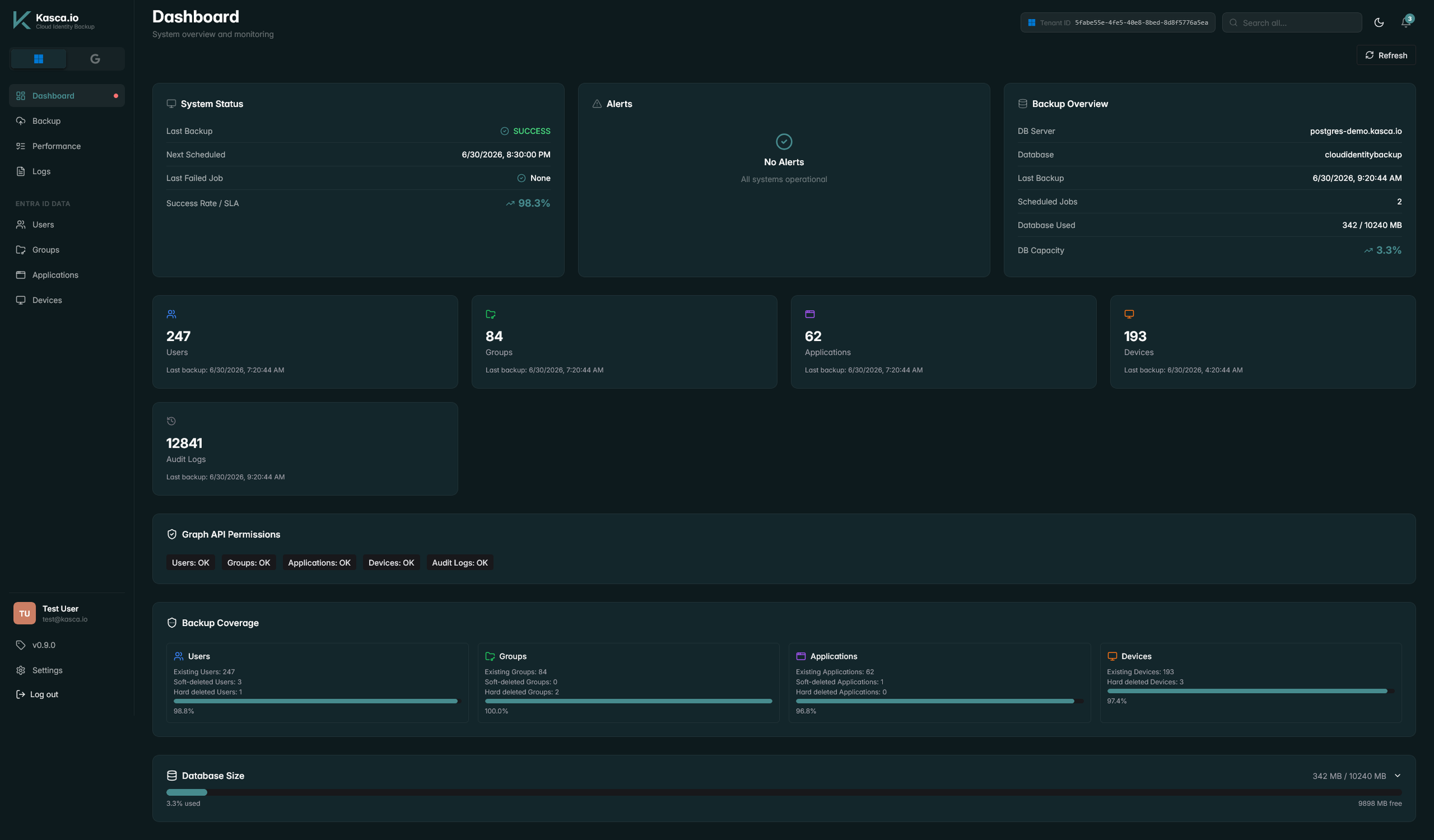
- Backup status and success rate on one dashboard
- Pay only for real users. Test, admin and service accounts don't count toward your license.
Common Questions
-
Yes. Microsoft keeps seven days of Entra ID backups inside your tenant, which helps with recent mistakes. Kasca adds what that can't: retention you set yourself, a copy outside the tenant, sign-in and audit logs, BitLocker keys and LAPS passwords, and Google Workspace.
-
A SaaS backup keeps your data in the vendor's cloud, under their access and their terms. Kasca runs on your own infrastructure. Nothing is sent to us, and no one outside your organisation can reach the backups.
-
They stay on your servers, and we provide a free restore-only license on request, so you can always get your data back.
-
You pay for real users only. Service accounts, admin accounts and test accounts don't count toward your license. New features are included.
-
No. There's no telemetry. Kasca connects only to the cloud platform it backs up.
-
Kasca Software s.r.o., an EU company from the Czech Republic, founded by Roman and Patrik Ivan. We started it after seeing at a Swiss financial institution how much depended on cloud identity, and how little protected it outside the tenant.